Client Care
Online Credit/Debit card
Login and click on 'My Plan'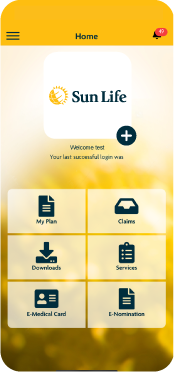
Select your Plan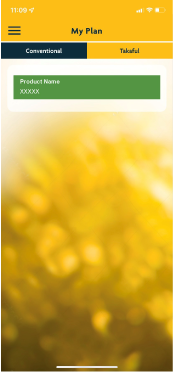
Go to 'Payment Records' and click on 'Pay Now'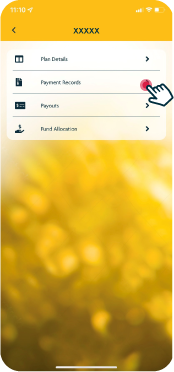
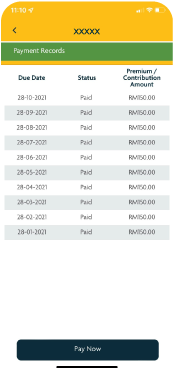
Fill up your Payment Details and click 'Submit'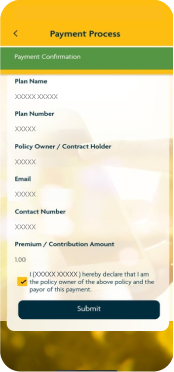
Fill up your Credit/ Debit Card details and click 'Pay Now'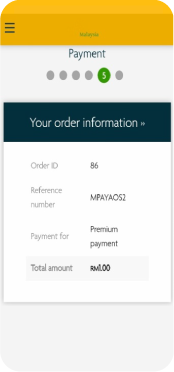
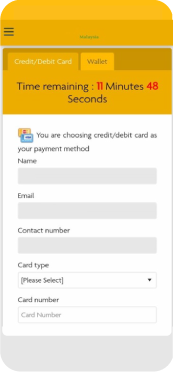
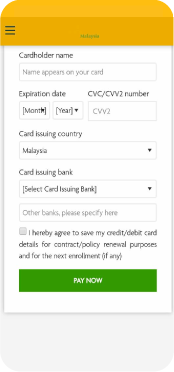
Complete the payment by filling in the 6-digit OTP sent to you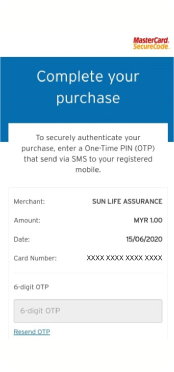
E-Wallet
Login and click on 'My Plan'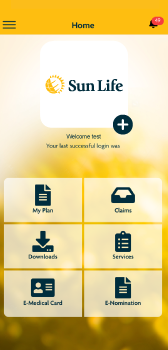
Select your Plan
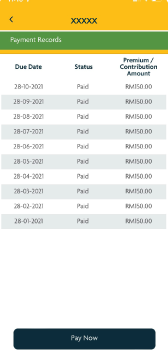
Go to 'Payment Records' and click on 'Pay Now'
Fill up your Payment Details and click 'Submit'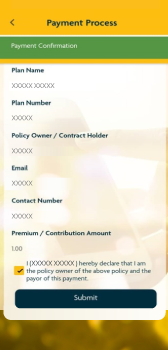
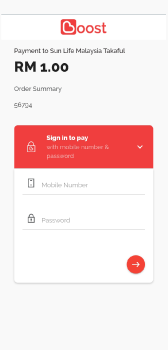
Sign in your Boost account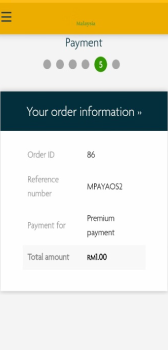
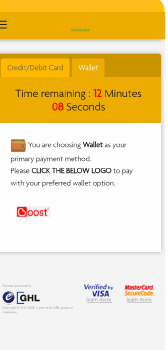
Complete the payment by filling in the 6-digit trasaction pin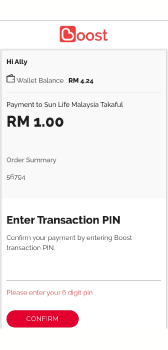
JomPAY

JomPAY is a national bill payment scheme that allows you to facilitate your payment of bills conveniently and securely via Internet or Mobile Banking by your Current or Savings accounts anytime, anywhere with no hidden costs
For more information, visit http://www.jompay.com.my/
4 simple steps to pay via JomPAY
Logon Logon to your preferred Internet or Mobile banking.
Lookout Look for the JomPAY logo on your Internet or Mobile banking site.
Enter Enter the biller code and reference number that can be found on your premium/contribution notice*.
Pay Key in the payment details and submit.
* Biller code as follows:
- For Sun Life Malaysia Assurance Berhad policy/certificate: 1180
- For Sun Life Malaysia Takaful Berhad contract/certificate: 6007
For any further questions, you may contact our Client Careline at 1300-88-5055 (8.30am to 5.00pm, Monday to Friday) and our representative will serve your enquiries.